
Interactive Chat
Show your held item, inventory, ender chest and location in chat with simple tags, and mention players with @name, in game and on Discord.
Interactive Chat turns a few simple tags into hoverable, clickable previews. They work in game and on Discord, so your showcases reach the whole community.
Show and tell
Type the tag anywhere in a chat message.
[item]: the item in your hand
Hold your new enchanted sword, rare drop or freshly named tool and type [item]. Everyone can hover over it to see its full tooltip.
![An item shown in chat with the [item] tag](/media/wiki/interactive-chat-item.webp)
[inv]: your inventory
Show your whole inventory, so you can share your loadout or prove you have the goods for a trade.
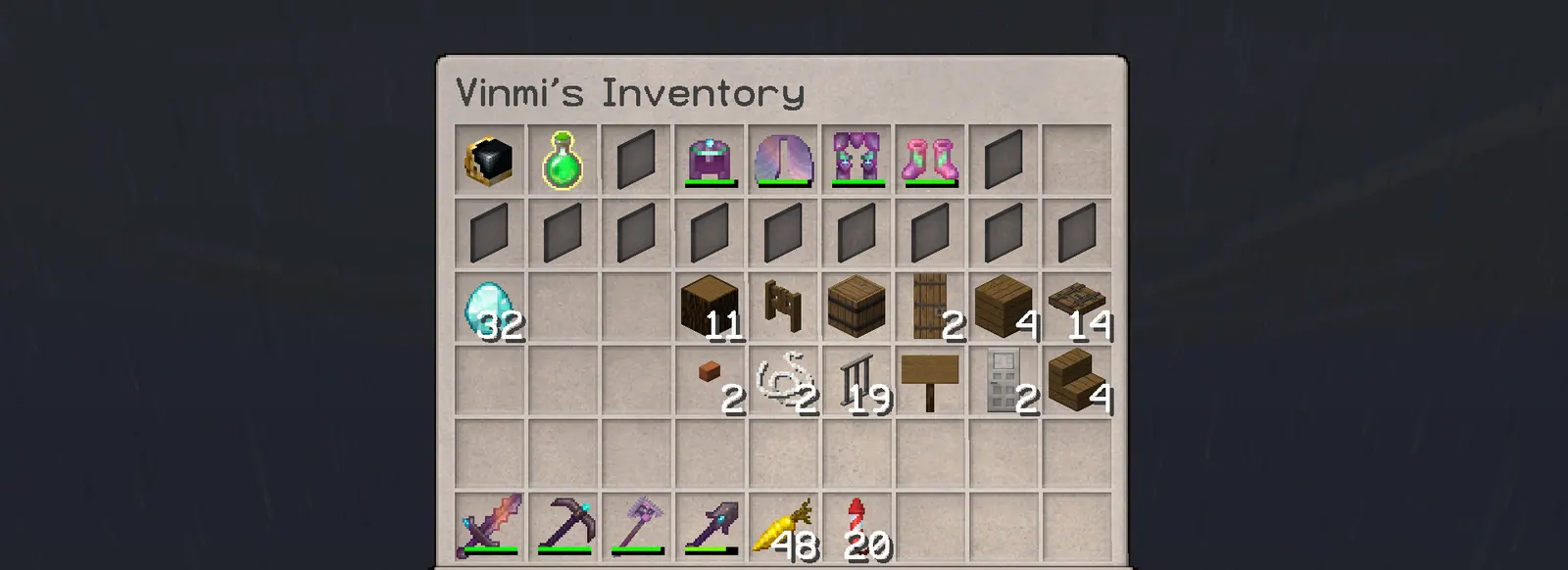
[ender]: your ender chest
Let others peek into your ender chest.

[pos]: where you are
Share your current world and coordinates, which is handy for meet-ups and for showing off your view.

Mentions
Type @ followed by a player’s name, for example @Steve. They hear a sound and see a notification, so your message won’t get lost in a busy chat.
On Discord
Thanks to the DiscordSRV integration, items, inventories and mentions also render in the Discord chat channel. Players who are offline can still see what you are showing off.