
Shopkeepers
Set up a player shop with a Shopkeeper egg, choose a shop type and entity, manage stock and prices, and use placeholder items.
Shopkeepers let you run a shop that trades even while you are offline. Your shopkeeper sells, buys or trades exactly what you choose, at the prices you set, and pulls its stock from a chest you link to it.
Getting a Shopkeeper egg
Buy a Shopkeeper egg from the shop NPC in the Shopping District. Hold the egg and right-click the air to cycle through the shop types:
| Shop type | What it does |
|---|---|
| Selling shop | Sells your items for a price (usually diamonds). |
| Buying shop | Buys items from other players and pays them. |
| Trading shop | Trades any item for any item. |
| Book shop | Sells copies of written books. |
Sneak and right-click the air to choose what your shopkeeper looks like: a villager, a creeper, a drowned, an enderman and many more. Citizens and above can also choose an NPC that looks like a player.
Placing your shop
- Right-click a chest with the egg to link it. The shop’s stock lives in this chest.
- Right-click the ground where the shopkeeper should stand.
Your shopkeeper is now open for business.
The editor
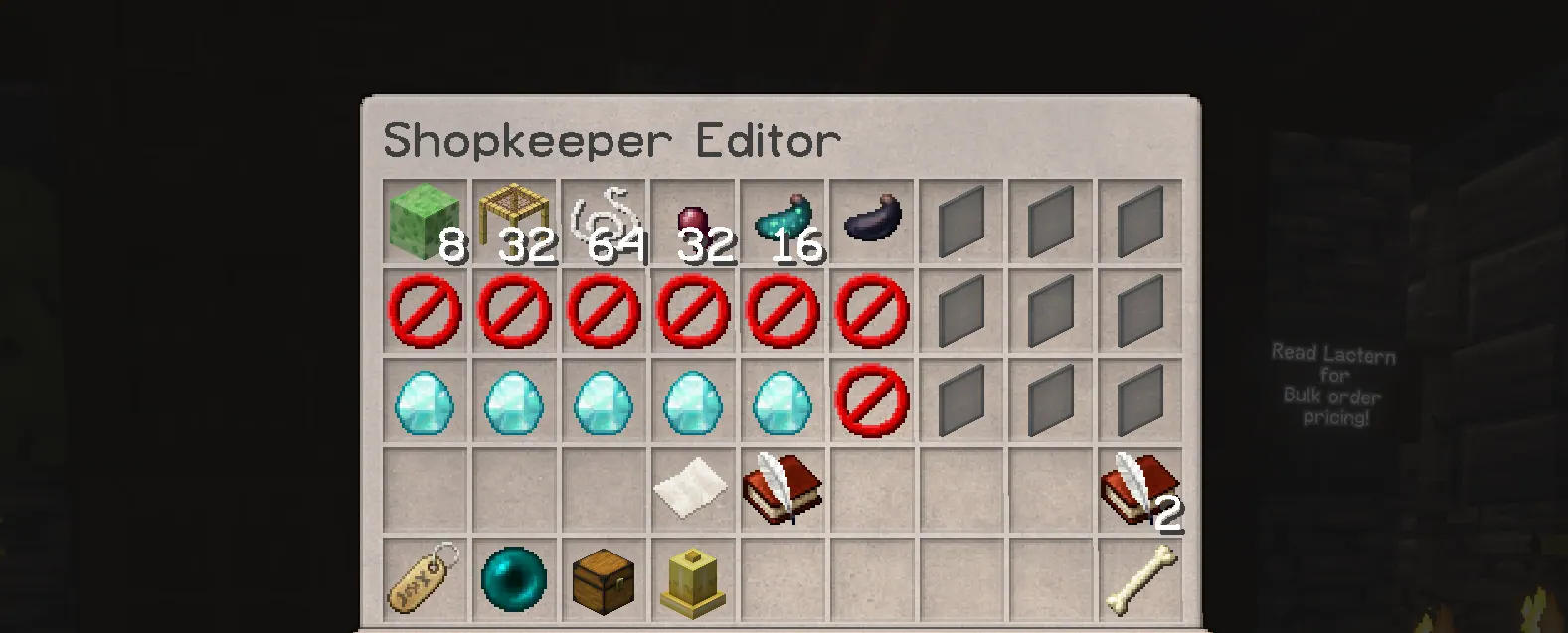
Sneak and right-click your shopkeeper to open the editor. From there you can:
- Set trades and prices. Place items in the trade slots to define what you sell or buy and for how much.
- Rename the shop. Click the name tag and type a new name.
- Change the variant. Cycle through looks for entities that have them.
- Move the shop. Click the ender pearl, then click the new location.
- Delete the shop. Click the bone. There is no undo.
Stock and restocking
Selling shops take their stock from the linked chest, and buying shops put purchased items into it. Keep the chest stocked and emptied. A shop that is always sold out does not bring customers back.
Book shops
Put the written book you want to sell in the linked chest along with book and quills. The shopkeeper makes a copy for each sale. Books are matched by title, and books that cannot be copied cannot be sold.
Placeholder items
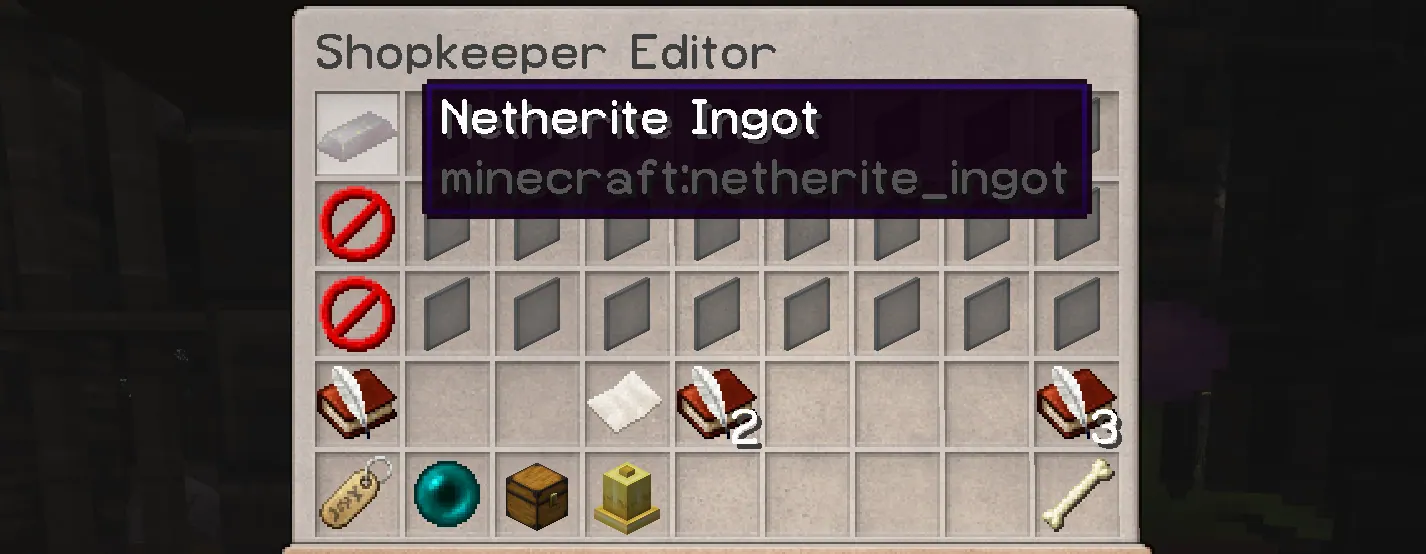
Want to buy something you do not own yet? Use a placeholder item: a piece of paper renamed to the item you want.
- Take a normal paper to an anvil.
- Rename it to the item’s ID, for example
netherite_ingotorelytra. - Use the paper in the shopkeeper editor. It instantly turns into the real item.
If the paper doesn’t change, the name doesn’t match a valid item type.
Naming rules:
- The
minecraft:prefix is optional. Leave it out to save anvil characters. - Upper and lower case do not matter.
- Replace spaces and dashes with underscores (
golden_apple). - Color codes are ignored.
- Only item IDs work. Display names, other languages and blocks with no item form do not.
- Placeholders set the item type only, not enchantments or custom names.
Valid IDs are listed in the Spigot Material list.
Running a good shop
- Be visible. Signs, lighting and a good-looking storefront attract customers.
- Price fairly. Watch what other shops charge.
- Stay stocked. Shops inactive for a month may be reassigned. See the Shopping District rules.
- Advertise. Tell the community about your shop and special offers on Discord.